
There are several challenges that businesses face when using different payment gateways including: accepting different payment methods, locating payment status, and tracking different financial records. To help businesses solve these issues, businesses need to provide their customers with a convenient, easy to use, and pleasant payment experience.
A payment portal is a digital interface that enables customers or businesses to initiate, submit, or manage payments. Depending on its purpose, it may support ecommerce checkout, invoice payments, account balances, recurring billing, or payment administration. Some portals are customer-facing, while others help business teams manage transactions and reconcile payments.
When it comes to selecting the right payment portal for a business in Europe, there are many factors to consider such as what payment methods are supported, what level of security is supported, what customer locations need to be supported, what kind of reporting is needed, what kind of payment gateway integration is supported, what laws are supported, and what payment workflows are supported. The goal of setting up a payment portal is to simplify payment workflows, not to add complexity.
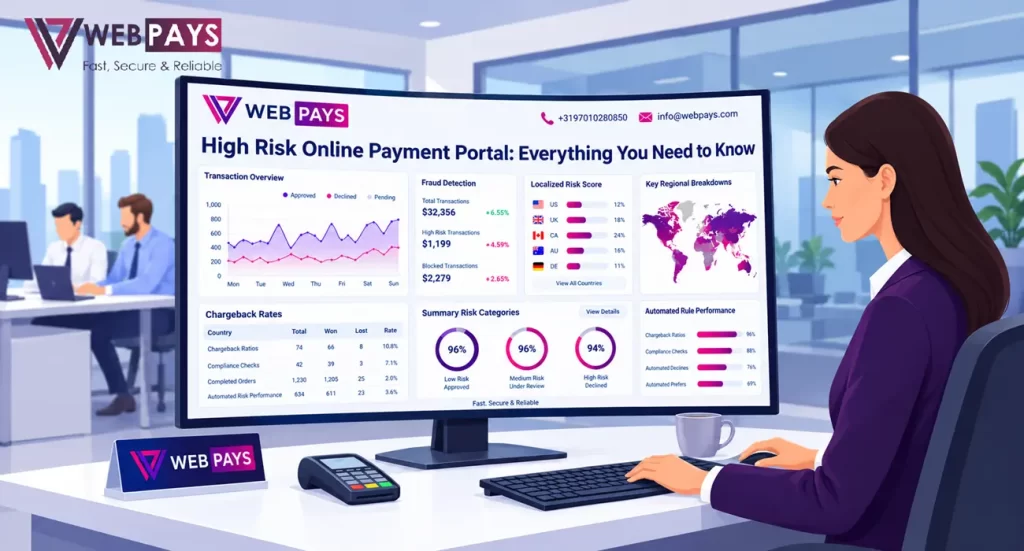
What Is a Payment Portal?
A payment portal provides an interface through which a payment can be initiated or managed. Its features depend on the provider and the business use case.
For example, an ecommerce payment portal may let a customer pay for an order. A service company may provide a portal where customers settle invoices, while a business-to-business organisation may use one to manage payment records and account activity.
A payment portal can include several features:
- Hosted payment pages or checkout forms.
- Credit and debit card acceptance.
- Other supported electronic payment methods.
- Invoice or account payment options.
- Payment confirmations and receipts.
- Refund and transaction-status information.
- Reporting and reconciliation tools.
- Recurring payment functionality, where supported.
Not every portal includes all these capabilities. Businesses should confirm whether the provider supplies the payment processing services, merchant account, or only the interface that customers use.
How a Payment Portal Works
Although the exact workflow varies, a typical online payment portal follows several stages.
1. The customer accesses the payment page
The customer arrives through a website, invoice, customer account, or payment link. The portal should clearly identify the business, explain the amount due, and display relevant payment terms.
2. The customer selects a payment method
The portal presents available options based on the merchant’s configuration and the customer’s eligibility. Options may include card payments and other supported methods.
3. The payment request is submitted
The portal securely passes the required payment information to the relevant payment-processing infrastructure. Validation, fraud checks, and customer authentication may take place.
4. The transaction receives a response
The payment system returns an approval, decline, or other status. The portal should display a clear message without incorrectly suggesting that a failed payment has succeeded.
5. The merchant records the transaction
The business receives the payment status and updates its order, invoice, or account records. The merchant should verify the transaction through reliable provider notifications or reporting rather than relying solely on the customer’s browser returning to a confirmation page.
6. Funds settle and records are reconciled
Funds become available according to the provider’s settlement terms. The business matches transaction records with payouts, fees, refunds, and other adjustments.
Types of Payment Portals
The best portal depends on how the business collects payments.
Ecommerce payment portal
An ecommerce portal lets customers pay for goods or services through a website. It should payment integrate with the shopping cart or order-management system and return accurate payment statuses.
Invoice payment portal
An invoice portal allows customers to pay an outstanding balance online. It may display invoice references, amounts due, payment history, and receipts.
Customer account portal
Some businesses allow customers to sign in, review account activity, and manage payments through a secure account area. Such portals may be useful for ongoing services or business accounts.
Business payment administration portal
An internal portal may help authorised staff review transactions, process refunds, download reports, or monitor payment activity. Access controls are important because the portal may expose financial and customer information.
These categories can overlap. Businesses should define the main purpose of their portal before comparing platforms.
Features to Compare Before Choosing a Payment Portal
Payment method support
Consider which payment methods your customers actually use. If the business serves multiple European markets, check whether the portal supports the required methods in each country.
Confirm whether payments can be accepted in multiple currencies and whether settlement is available in those currencies. Payment acceptance, currency conversion, and settlement are separate capabilities.
Security and customer authentication
The portal should protect payment information and provide appropriate security controls. Depending on the integration, this may include hosted checkout, secure transmission, tokenisation, fraud screening, and authentication support.
For relevant electronic payments in Europe, Strong Customer Authentication may apply under the applicable rules, subject to conditions and exemptions. Businesses should confirm how their chosen setup handles these requirements.
Website and software integration
A portal may connect to an ecommerce platform, invoicing system, accounting software, or customer database. Before choosing a provider, check whether the integration is supported and whether it requires additional development.
Test payment success, declines, refunds, duplicate notifications, and interrupted sessions before launching.
Transaction reporting
Clear reporting helps businesses track payments and investigate discrepancies. Look for transaction references, timestamps, payment status, fees, refunds, dispute information, and settlement records.
For businesses handling a high volume of payments, reliable reporting can reduce manual reconciliation work.
Customer support and accessibility
Customers should be able to understand the payment process and find help if something goes wrong. Businesses should also assess the provider’s support arrangements for technical incidents, account reviews, and settlement questions.
Payment Portal Costs
A payment portal may have separate technology charges in addition to transaction-processing fees. The full cost depends on the provider and the services included.
| Cost category | What to check |
| Transaction fee | Percentage and fixed fee per payment |
| Portal or platform fee | Monthly or annual service charge |
| Setup fee | Initial onboarding or configuration cost |
| Integration cost | Development and maintenance expenses |
| International fee | Additional charges for cross-border payments |
| Currency conversion | Exchange-rate markup or conversion charge |
| Refund and dispute fees | Charges related to refunds or chargebacks |
| Minimum commitment | Minimum monthly processing or account fees |
Ask for a complete fee schedule before signing an agreement. Compare expected costs using realistic transaction volumes and customer locations rather than relying on a single headline rate.
Security and Compliance Considerations
A payment portal is a component of a business’s overall security and compliance framework.
A business is entitled to know what customer information the payment portal collects, how that information is protected, and who has access to it. Staff access should be limited to what is necessary to fulfill the business function. Transactions should be documented to the extent required.
European businesses should review their obligations under data protection, payment security and consumer protection. Depending on the business model, additional requirements may exist for refunds, subscriptions, invoices and consumer authentication.
A payment service provider may provide security services, but using those services does not, in and of itself, address a merchant’s obligations under the law.
Common Payment Portal Mistakes
- Choosing a portal without checking compatibility with existing software.
- Assuming every portal includes processing and acquiring services.
- Ignoring international payment and currency costs.
- Failing to test refunds and failed transactions.
- Giving too many staff members access to sensitive records.
- Relying on customer-facing confirmation pages instead of verified transaction statuses.
- Publishing unclear payment or refund terms.
A requirements checklist can help businesses evaluate portals consistently and avoid problems during implementation.
Find a Payment Portal That Fits Your Business
A suitable payment portal should make it easier for customers to pay while helping the business manage transaction records, refunds, and settlement. Reviewing the complete feature set and cost structure can help businesses select a practical solution.
Visit WebPays to discuss your payment requirements, target markets, and integration needs.
Frequently Asked Questions
What is a payment portal used for?
A payment portal provides an interface for initiating or managing payments. Depending on the platform, it may support ecommerce checkout, invoice settlement, customer account payments, or internal transaction management.
Is a payment portal the same as a payment gateway?
No. A payment portal is an interface used to initiate or manage payments, while a gateway transmits payment information into the processing system. Some platforms provide both functions.
Can a payment portal accept international payments?
Some portals support international payments and multiple currencies. Businesses should confirm customer-country coverage, supported payment methods, conversion costs, and settlement options.
Is a payment portal suitable for a small business?
Yes. A small business may use a hosted payment page, invoice portal, or integrated checkout, depending on its needs. Pricing and available features vary by provider.
How can a business compare payment portals?
Compare payment methods, fees, security, integration, reporting, settlement, support, and geographic coverage. Also verify which processing services are included in the agreement.